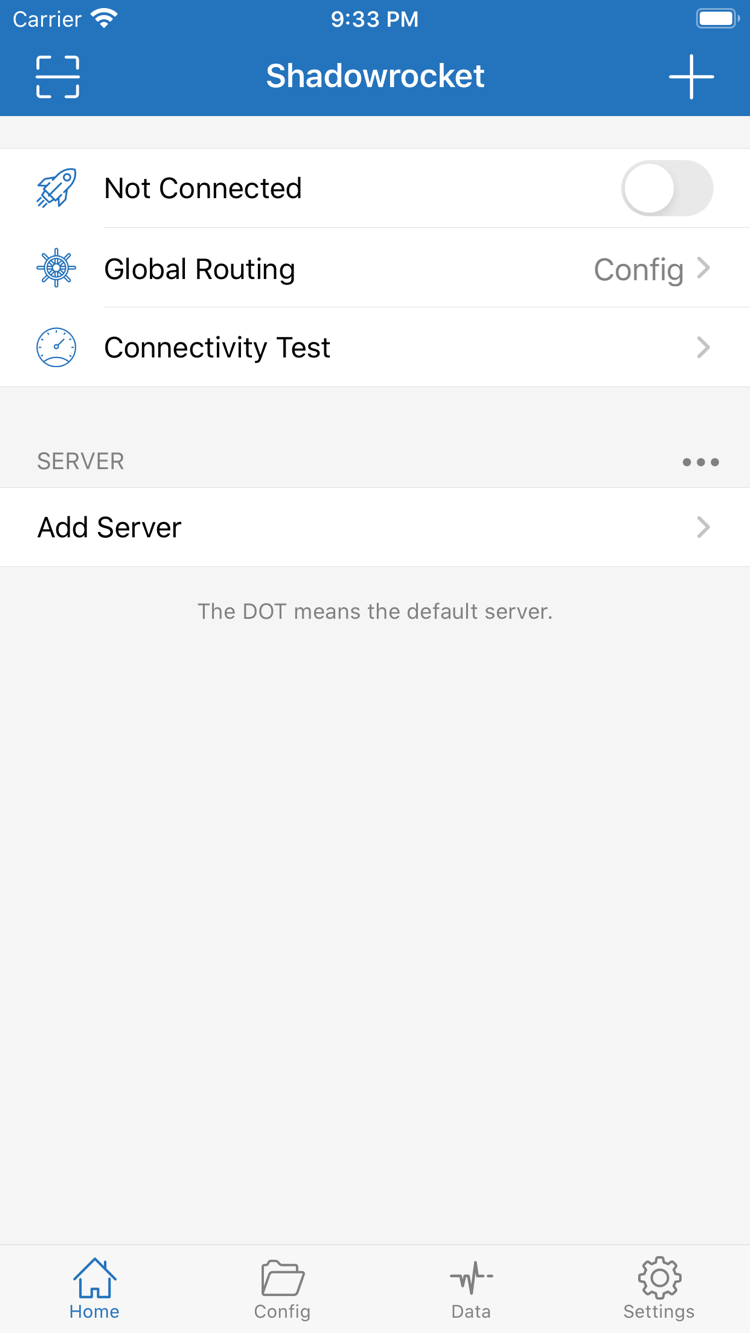
Define the scope before setting rule order
To route traffic by destination, select Config in Global Routing and confirm which file is active on the Config page. Rules are evaluated from top to bottom; the first match determines the policy. Put specific domains before broader domain suffix rules, and place FINAL last. In the example below, a specified subdomain is rejected first, other requests to example.com use PROXY, and all remaining traffic uses DIRECT. This demonstrates matching logic only; it is not a complete configuration to replace your existing setup.
[Rule]
DOMAIN,ads.example.com,REJECT
DOMAIN-SUFFIX,example.com,PROXY
FINAL,DIRECT
Read about rule types →
Connection triggers are not routing conditions
On Demand triggers connections based on conditions and is best configured after you have verified that a manual connection works. In Settings, check the available On Demand conditions, then test both connection and disconnection behavior on the target networks. It determines when to connect; [Rule] determines the request path after connection. Enabling it does not fix server parameters or reorder rules automatically. The snippet below illustrates the separate routing layer, not an On Demand configuration directive. When troubleshooting automatic reconnection, check the trigger settings separately.
[Rule]
DOMAIN,example.com,PROXY
FINAL,DIRECT
Learn about On Demand →
Match Type to your existing server details
Shadowrocket supports protocols including Shadowsocks, VMess, VLESS, and Trojan. When adding a server, select Type based on the existing server details rather than trying a connection because the name looks similar. Authentication, transport, and TLS fields differ by protocol and are not interchangeable. After importing, check Host, Port, and related parameters. The protocol establishes the connection; the rules below only determine whether a request is sent through PROXY and do not contain protocol credentials. Correct server parameters rather than using rules to compensate. See the in-app list for supported types.
[Rule]
DOMAIN-SUFFIX,example.com,PROXY
FINAL,DIRECT
View protocol and field terminology →
Import existing details, then check that the entries work
If you have an existing subscription link, import it through Add Server using Subscribe, then check the SERVER list in Home. A subscription update only means the entries were read and refreshed; it does not guarantee that every server can connect. If an update fails, first check that the link is complete, the current network can reach it, and your existing access permissions are valid. Subscription URLs often contain credentials, so do not share them publicly. The rules below are a separate example to check after importing, not a subscription URL format. Check the server list and active configuration file separately.
[Rule]
DOMAIN,example.com,PROXY
FINAL,DIRECT
View the Subscribe import steps →
Understand what each configuration section does
A configuration file stores settings in sections: [General] contains global parameters, [Rule] contains routing rules, [Host] maps local domain names, and [URL Rewrite] rewrites request URLs. Before editing in Config, keep a copy of the original file. After saving, confirm that the edited configuration is active. If you use iCloud sync, also check which configuration is selected on this device; a synced file does not mean the connection state was synced. The example below shows only a minimal [Rule] section. Before using it, keep any other settings required by your existing file.
[Rule]
IP-CIDR,192.168.0.0/16,DIRECT
DOMAIN-SUFFIX,example.com,PROXY
FINAL,DIRECT
Read a .conf file section by section →
Cross-check test results against actual access
Connectivity Test checks how a server connects on the current network. Results depend on the test method, destination, and network conditions; they do not establish that every website is accessible. Run the test with a selected server, then visit the destination and check the connection log to see whether the expected policy matched. Data can help you observe traffic changes, but an increase alone does not confirm that a domain used PROXY. Use explicit domains to create verifiable routing conditions. If a test fails, check the server, DNS, and rule order, changing only one thing at a time.
[Rule]
DOMAIN,example.com,PROXY
DOMAIN,localhost,DIRECT
FINAL,DIRECT
Troubleshoot a connection →